
Hi There!
GetResponse labels itself as the world’s easiest email marketing software to use to send out email newsletters, campaigns, online surveys and follow-up autoresponders.
GetResponse offers a variety of premium email marketing plans. There’s also a free trial plan that you can try for free for 30 days and build an email list of up to 250 subscribers
In this GetResponse review, we’ll try to break down the tool into its features and discuss its main strengths and weaknesses.
In the end, you should be able to determine if GetResponse is powerful enough to use for your business.

Content:
What is GetResponse?
What is Email Marketing?
Features of GetResponse
How to make money with Get Response?
GetResponse Pricing
Pros & Cons
FAQ
Conclusion
What is GetResponse?
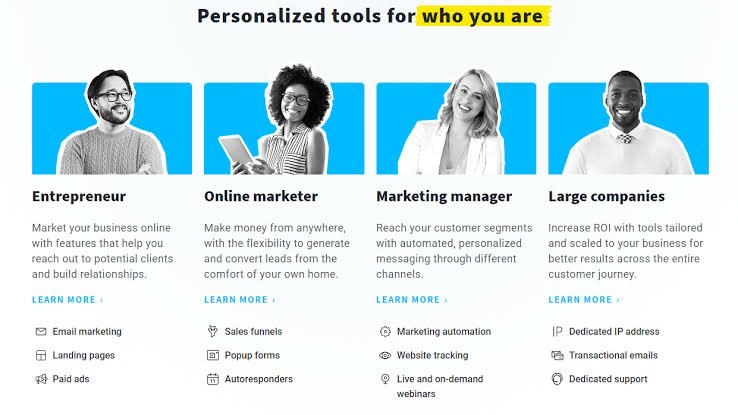
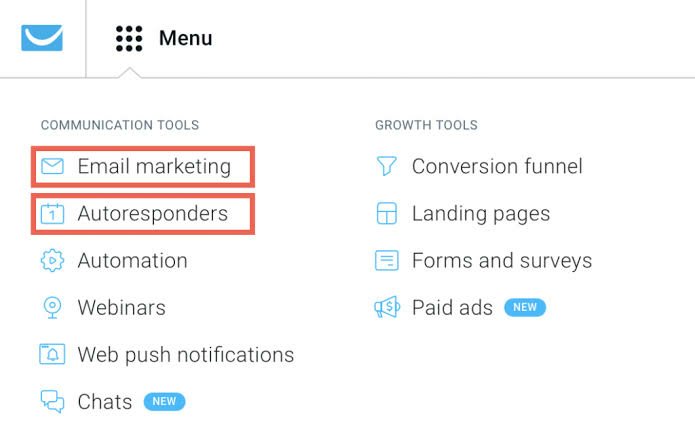
GetResponse is an email marketing app that allows you to: create a mailing list and capture data onto it. send emails to the subscribers on your mailing list. automate your emails to subscribers via use of ‘autoresponders’.
What is Email Marketing?
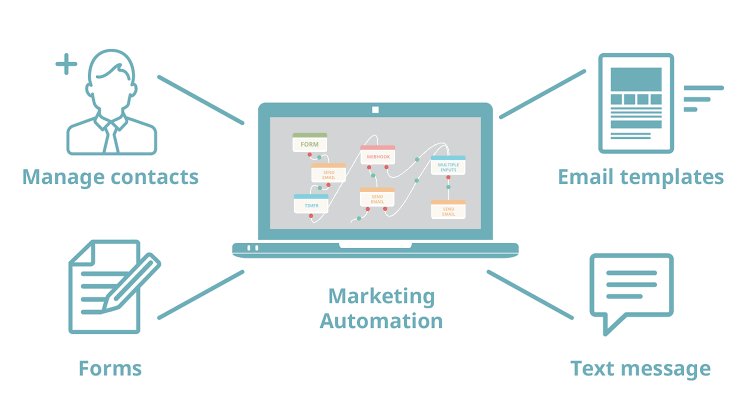
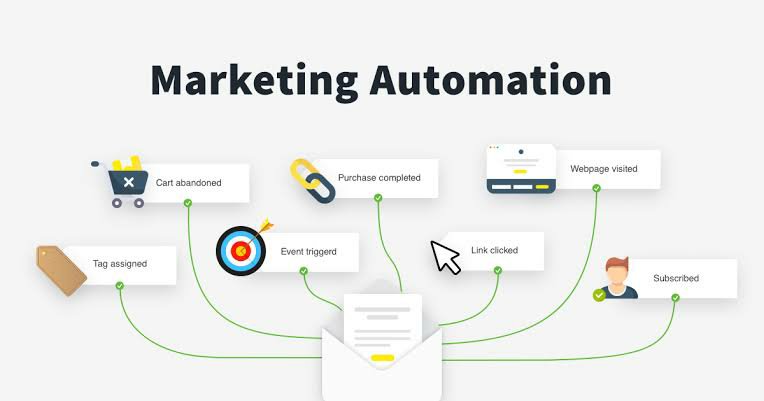
Email marketing automation is a strategy that sees marketers send triggered or timed promotional emails to subscribers on their mailing list. It enables online marketers to send out personalized messages to both prospects and customers on a schedule or when specific conditions are met.
Email marketing automation is all about making promotional campaigns an automated process. How is it useful? Automating emails saves marketers the hassle of creating and sending new emails each time when a prospect shows interest in a brand, a customer abandons a cart, business launches a sale, and so forth. Apart from that, studies have shown that using marketing automation software leads to an 80 percent increase in the number of leads and a 77 percent boost in conversions.
Email marketing automation enables businesses to create highly segmented mailing lists. Marketers can segment their lists based on subscriber activities and Customer Relationship Management data (entire purchase history, last purchase, lead stage, etc.)
GetResponse is an Easy tool to Create stunning emails in minutes and use advanced segmentation tools to make more impact.
Powerful email marketing software with professional email templates, easy design tools,
and proven deliverability.
Discover How to Set Up Your Email Autoresponder using Get Response, So That You Can Grow an Email List That Gets Clicks and Converts into Sales…Starting Today!
Features of GetResponse
Feature 1: It’s easy to build beautiful emails:
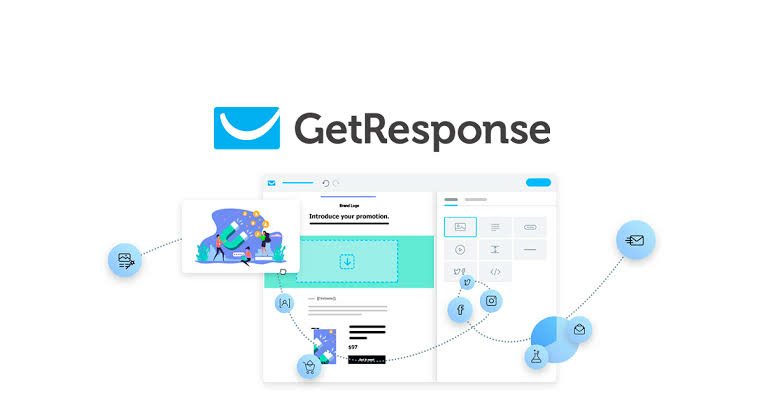
The drag-and-drop email creator lets you design and send pixel-perfect emails in a few clicks.
- Use layouts and sections to build your message
- View setup and scheduling details in one easy view
- Preview designs on desktop and mobile devices
- Enhance all designs with GIFs and free stock photos
Feature 2: Get inspired with free email templates:
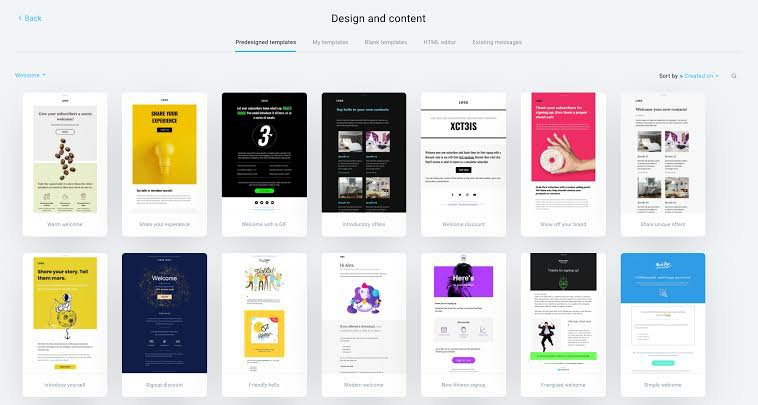
To save time and resources, explore the library of free, professionally-designed email templates.
- Browse and select templates by campaign goals welcome, educate, promote, sell, and more
- Customize with your branding and content
- Build and curate your own template libraries
Feature 3: Put subscriber data to work

Keep your email marketing relevant for all audiences and enjoy proven 99% deliverability.
- Build custom segments based on specific criteria
- Use dynamic content for better personalization
- Deliver emails at your audience’s preferred time with the perfect timing tool
How to make money with Get Response?

Monetize your email campaigns with shoppable messages and built-in ecommerce tools.
Then use intuitive analytics to improve your emails based on performance and your contacts’ preferences.
Make new sales and win back lost revenue:
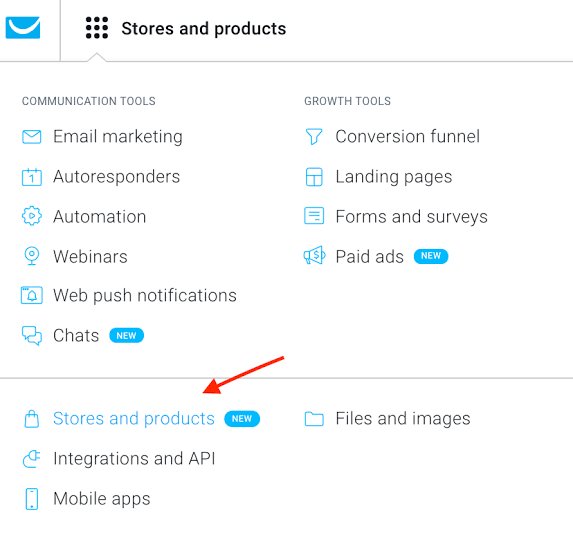
Make your emails shoppable and reduce the number of clicks it takes your customers to buy from you.
- Add products from your GetResponse store
- Integrate your existing online shop
- Win back customers with abandoned cart emails
- Automatically recommend related products
Keep all of your online marketing tools under one roof:

Integrate email marketing with other must-have online
marketing tools to run multichannel campaigns.
- Drive traffic to your landing pages
- Promote webinars through email
- Integrate your account with analytics or ecommerce platforms
Collect actionable data from your emails:
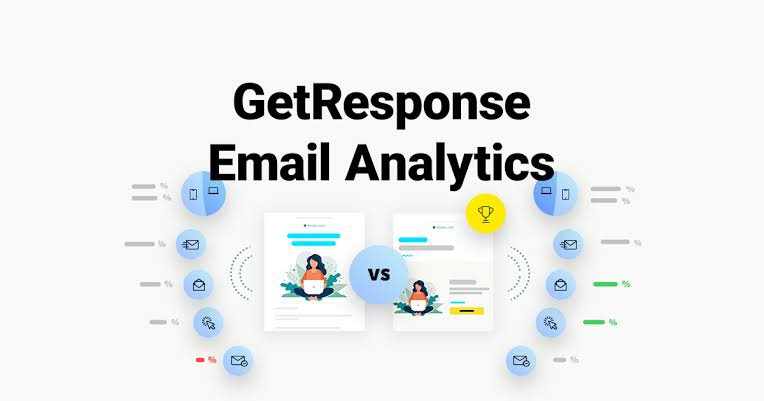
Track your email marketing campaign results in real-time through advanced email analytics.
- Analyze opens, clicks, bounces, and more
- A/B test email subject lines to learn what works best
- Track user behavior for better targeting
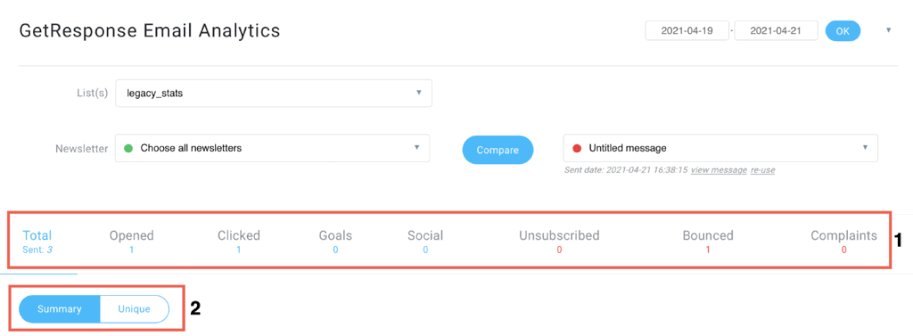
- With GetResponse reporting tools, it’s possible to measure your email campaign’s success or lack thereof. The Email Analytics page generates a few basic reports about your email campaign and displays all your stats on a single page.
For instance, the tracking tools record how many people open your emails, unsubscribe, complain, or clicked on links. You can even generate line and bar graphs detailing key metrics like bounce and click-through rates.
GetResponse offers its own tracking code that you can embed on certain web pages to track conversions, downloads, or other events. The tracking tool supports Google Analytics integration too.
You can view members on your mailing list who have performed a certain action, subscriber list growth reports comparing previous campaigns, desktop vs. mobile activity and many other autoresponder statistics.
Get campaign results from anywhere:
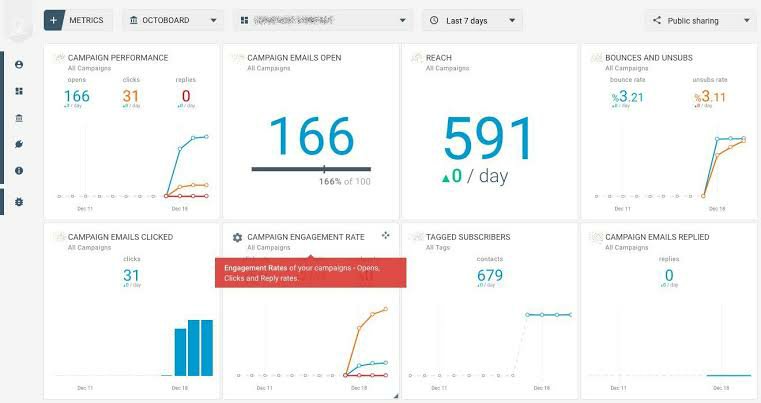
Set up automated, customized reports to be sent to you based on a schedule you choose.
- Choose reporting frequency
- Take it all in with easy-to-digest graphs
GetResponse Pricing:
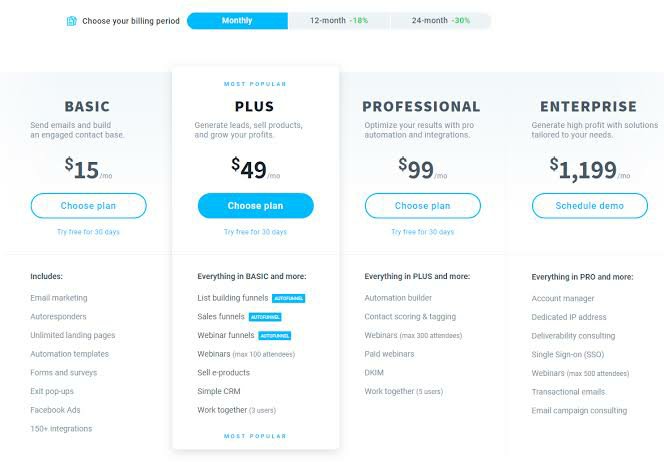
GetResponse offers a variety of premium plans, namely Email, Pro, Max and Enterprise. GetResponse plans are available on a month-to-month basis. However, paying upfront for 1 or 2 years allows you to save up to 18% or 30% respectively. For more information and the latest and most up-to-date prices, visit the GetResponse website.
The four main pricing packages from GetResponse are split according to the number of “extra” features you want, besides autoresponders, unlimited landing pages, forms and surveys, Facebook ads, and so on. If you’re happy with just the intro features, then you can stick with the “Basic” option. However, most people will want to upgrade to at least the “Plus” package, so that they can get eCommerce options, webinars, and sales funnels.
The four GetResponse pricing plans are:
- Basic: $15 per month for 1,000 subscribers for unlimited emails
- Plus: $49 per month for 1,000 subscribers
- Professional: $99 per month for 1,000 subscribers
- Enterprise: $1,199 per month for lists exceeding 100,000 subscribers
Pros:
If you intend to use their ‘Email’ plan, Getresponse offers adequate functionality and it’s cheaper than most of its key competitors. In certain cases, you can even save a considerable money.
- webinar functionality (a USP really);webinar functionality (a USP really)
- reporting and comprehensive split testing features
- responsive emails and it makes possible to preview smartphone versions of your campaigns
- a powerful landing page creator
- you can try out all its features free for 30 days without entering credit card details;
- the level of support is remarkable and includes phone support;
Cons:
- The drag and drop interface for designing emails is not their strong suit;
- A limited range of RSS-to-HTML e-newsletter templates;
- Both user interface and backend need improvements
FAQ:
1.How Is My Data Protected?
GetResponse provides an “Agreement on Data Processing”. The form is based on Polish data protection policies; after all, GetResponse is based in Poland.
Due to the EU’s unification of rules governing data protection, the Polish rules are likely very similar to the strict ones you may know from other EU countries such as Germany or France.
2.What is GetResponse used for?
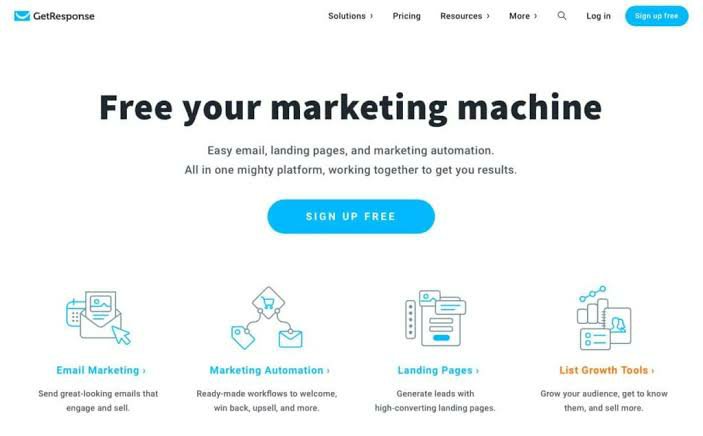
GetResponse is an all-in-one email marketing tool. You can do everything from create an email newsletter to build sophisticated automations and sales funnels.
3.Is GetResponse a CRM?
GetResponse does have some contact management features, for example, contact tagging and scoring, site and event tracking and automation segmentation.
Conclusion:

Now, let’s wrap up this GetResponse review.
GetResponse is truly a full-stack marketing tool unlike any other we’ve tested. You have everything you’ll need within one tool to build a profitable business without having to juggle 8+ different tools.
For those looking to save money with long-term subscription plans, GetResponse’s lack of a refund policy on annual plans may be a bit of a turnoff. However, this email service provider still offers competitively priced plans on a month-to-month basis.
Best of all, GetResponse provides a wealth of features that can meet both small and large email marketing campaigns.

GetResponse is one of the best choices for engaging your audience and converting them into customers. At the very least, sign up for a 30-day free trial so you can get a feel for it.
 Vester.code